FOR ANDROID TABLETS WITH A STYLUS

Sketch system architecture
with a pen, offline

Draw system architecture, flows, and diagrams with a pen on your tablet as naturally as on paper, with undo history, an eraser, and PDF or SVG export.

Draftr is currently in internal testing on Google Play. Public download is not available yet.
Explore the features

Android 10+ · Best on a tablet with a stylus

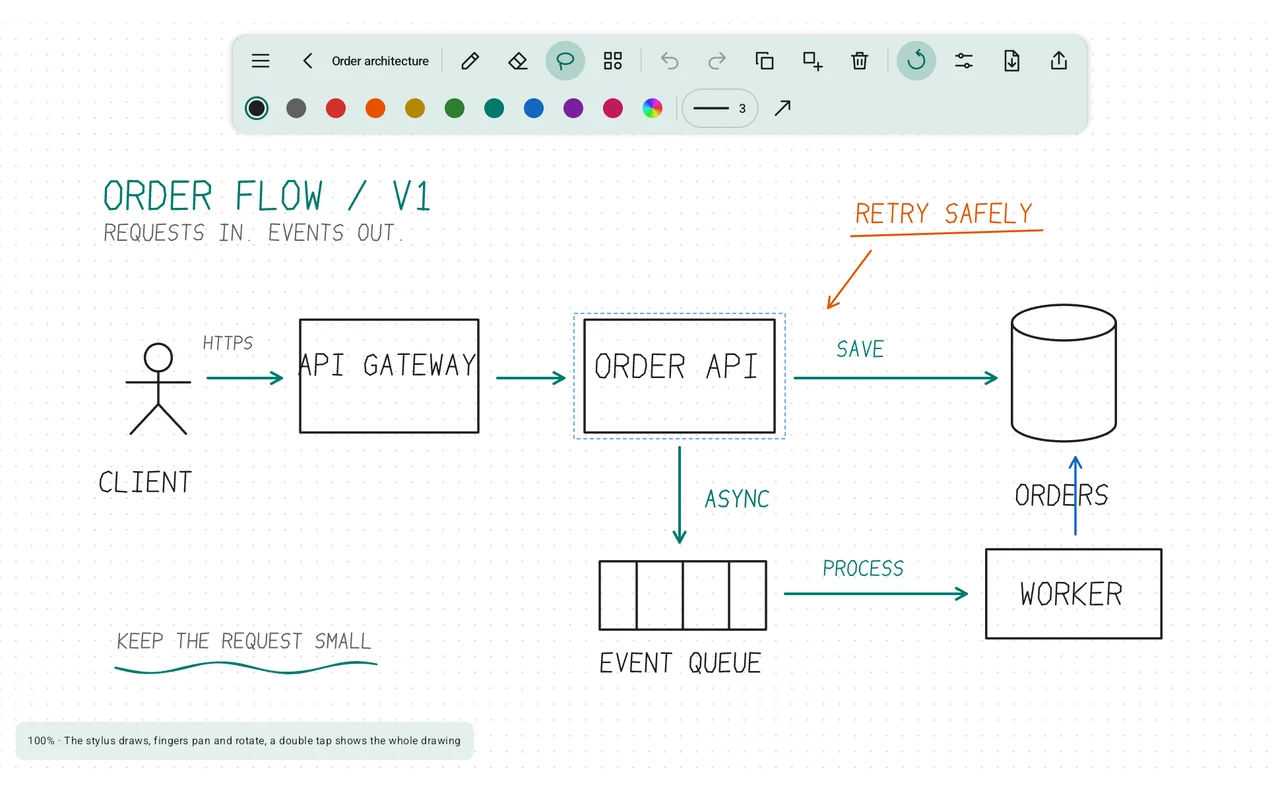
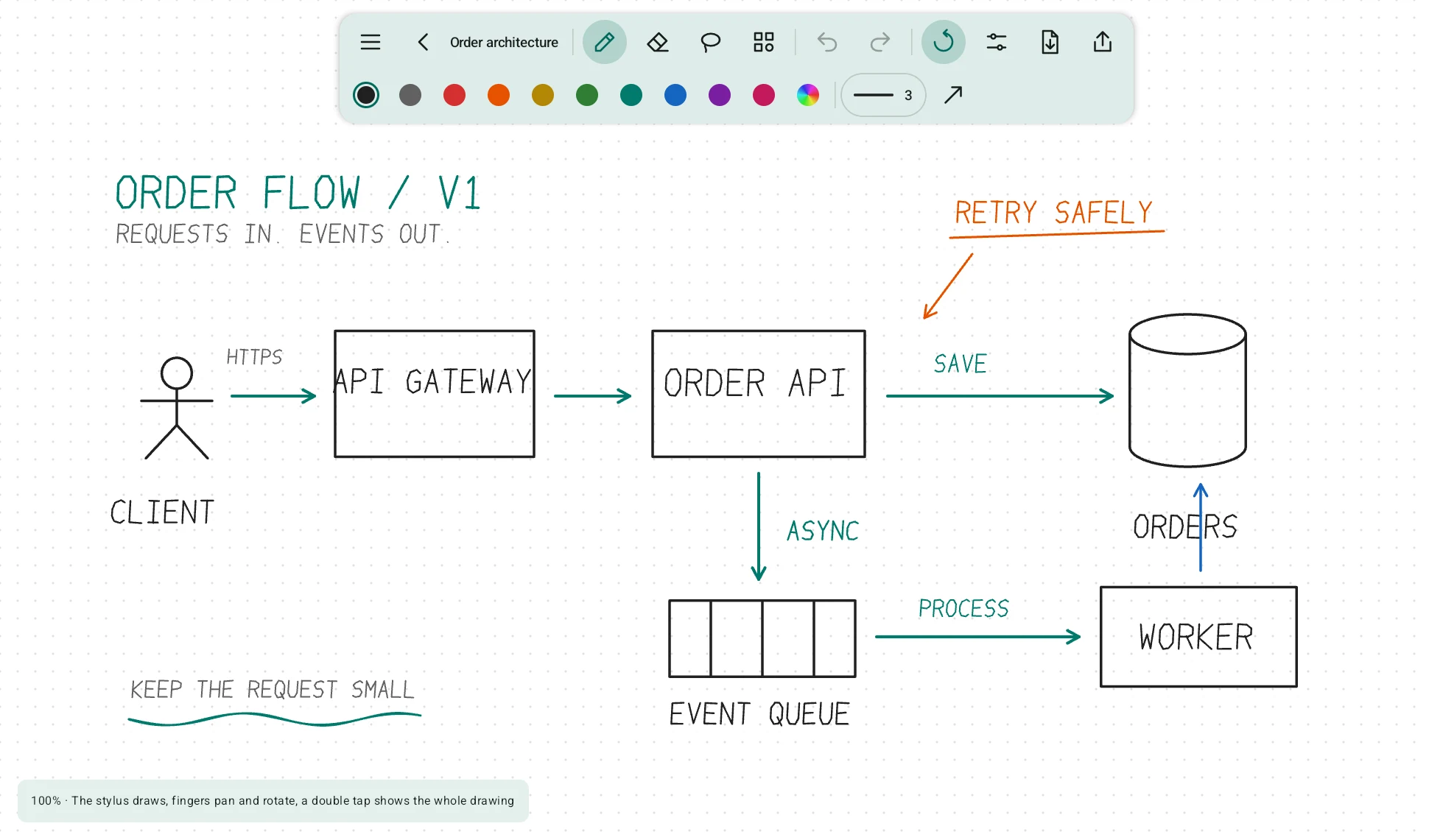
Draftr editor with an order architecture diagram
Order architecture. The actual editor on an Android tablet.

Feels like paper

Draw with your pen. Move the canvas with your fingers.

Ready-made components

Services, databases, and other diagram elements.

100 % offline and private

No account. No analytics. No ads.

FROM AN IDEA TO A DRAWING

For people who think by drawing.

For developers, architects, students, and anyone who thinks by drawing. Sketch a service in a meeting, map a data flow before implementation, or annotate a PDF specification.

FEATURES

The tools for your next design.

A pen, a canvas, and tools for drawing system architecture.

01

Drawing that feels like paper

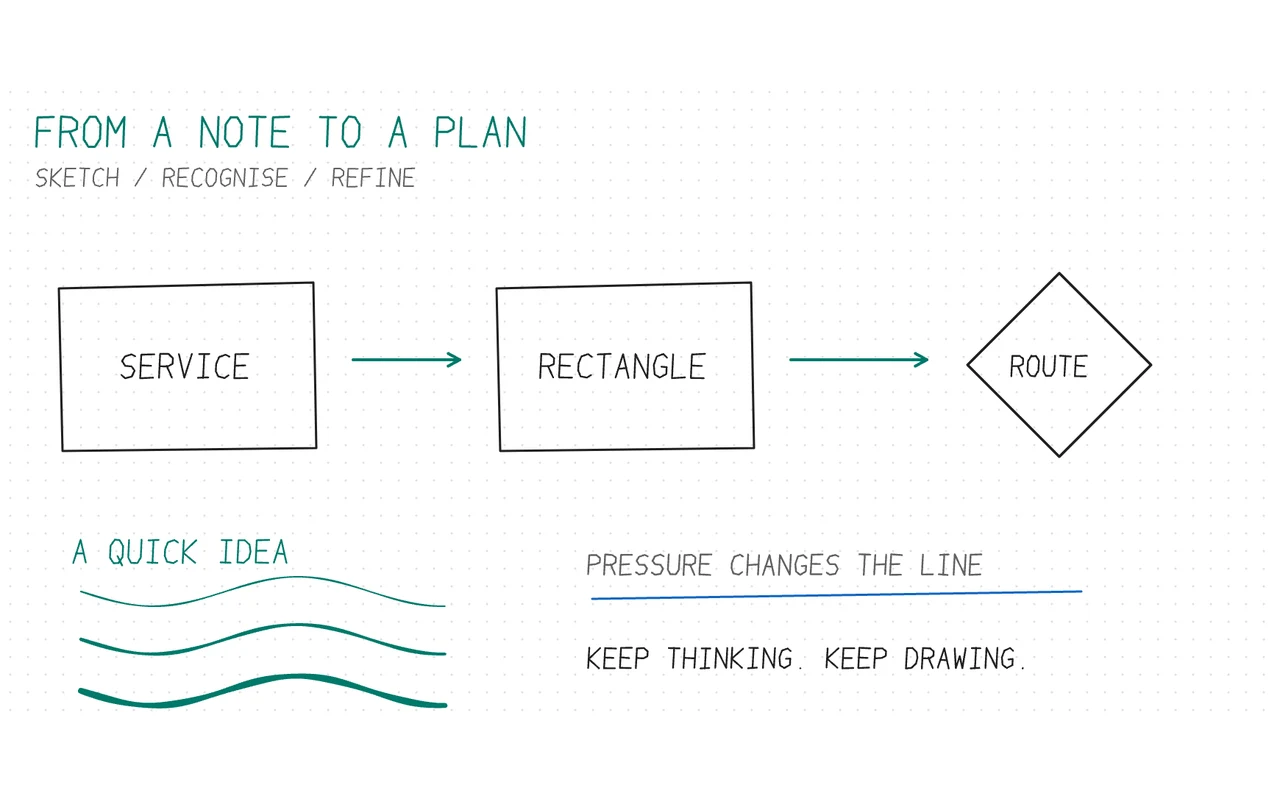
  • Your stylus draws while your fingers pan, zoom (10–800 %), and rotate the canvas.
  • Pen pressure changes the stroke width.
  • Palm rejection lets you rest your hand on the screen. You can adjust its sensitivity.
  • The stylus button or eraser end activates the eraser.
Pen stroke samples and a sketched diagram in Draftr
02

Smart shapes

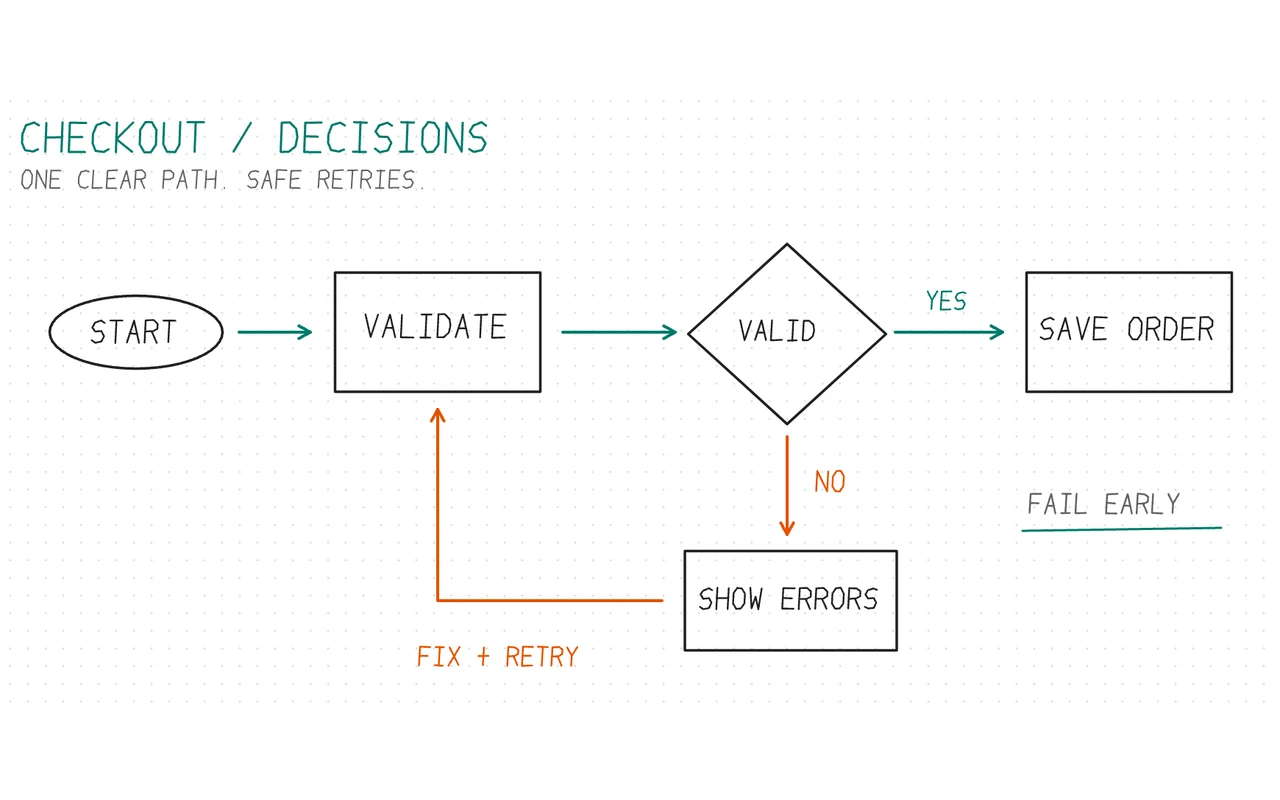
  • Hold your pen briefly at the end of a stroke to straighten the line.
  • A closed stroke becomes a rectangle or an ellipse.
  • Add an arrow to the end of a stroke with a single toggle.
A decision flow with rectangles, arrows and a diamond
03

Ready-made diagram components

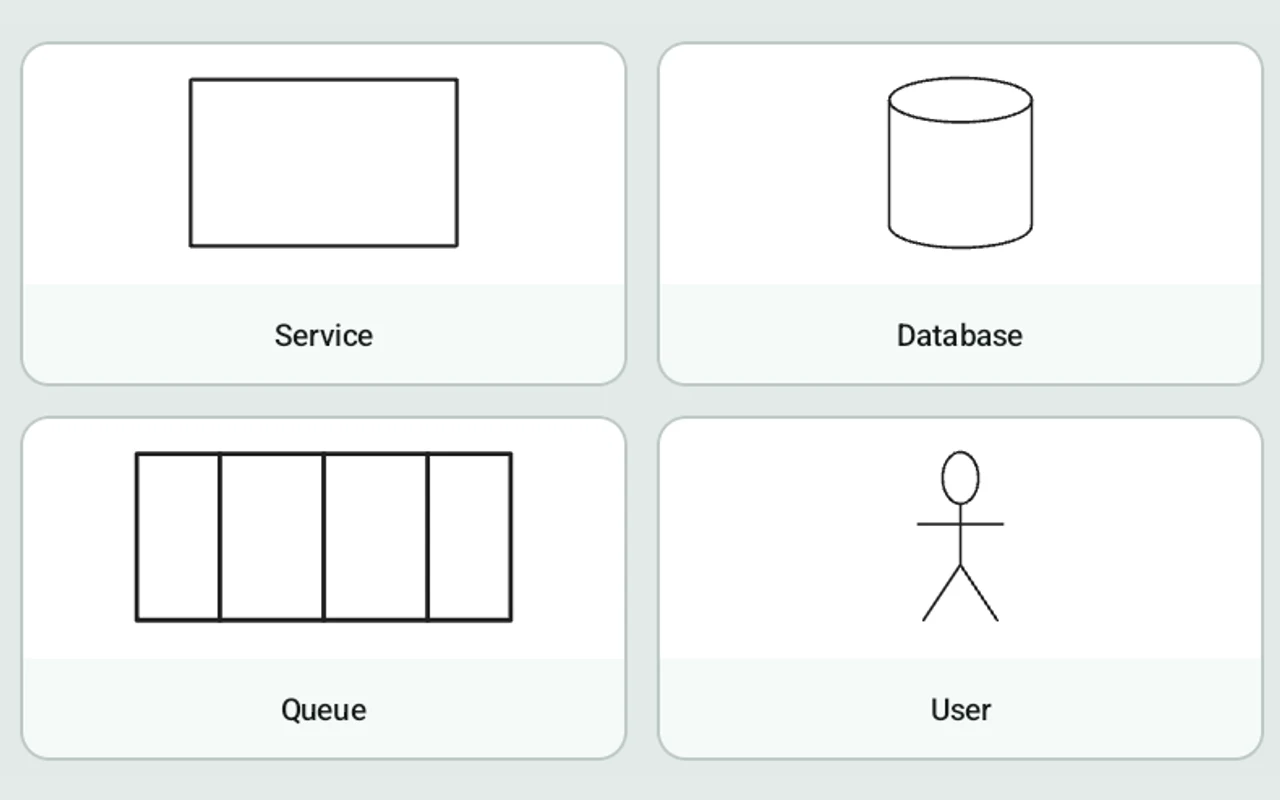
  • Service, database, queue, user, external system, server, decision, start/end, note, and class.
  • Save any selection as a custom component and use it again.
  • Insert, move, and resize components.
The ready-made component palette in the Draftr editor
04

Edit without the stress

  • Use the lasso to select part of a drawing, then move, copy, delete, or recolor it.
  • Tap with two fingers to undo and three fingers to redo. Double-tap to fit the entire drawing.
  • History remembers up to 100 steps and stays saved after you close the app.
The Order API service selected with the lasso for editing
05

Import and export

  • Import PDF pages into your drawing and write notes on them.
  • Export to PNG for chat or email, PDF and SVG for vector output that stays sharp in print, and JSON for backups.
  • Export the whole drawing or just a selection. Share the finished file directly.
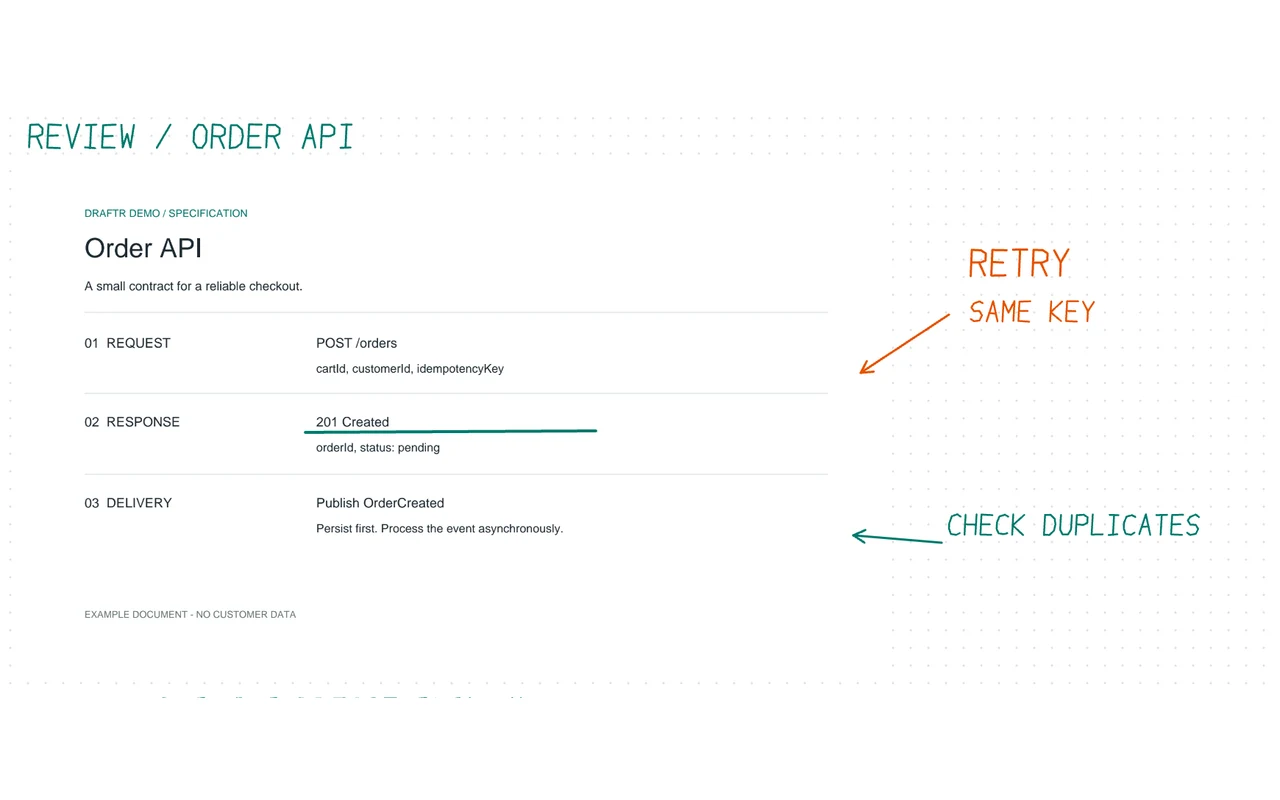
An imported PDF specification with pen annotations
06

Keep your designs organized

  • Organize drawings in projects with folders nested to any depth.
  • Each drawing has its own light or dark theme and blank, dotted, or grid background.
  • 10 colors, 10 pen widths, and custom colors.
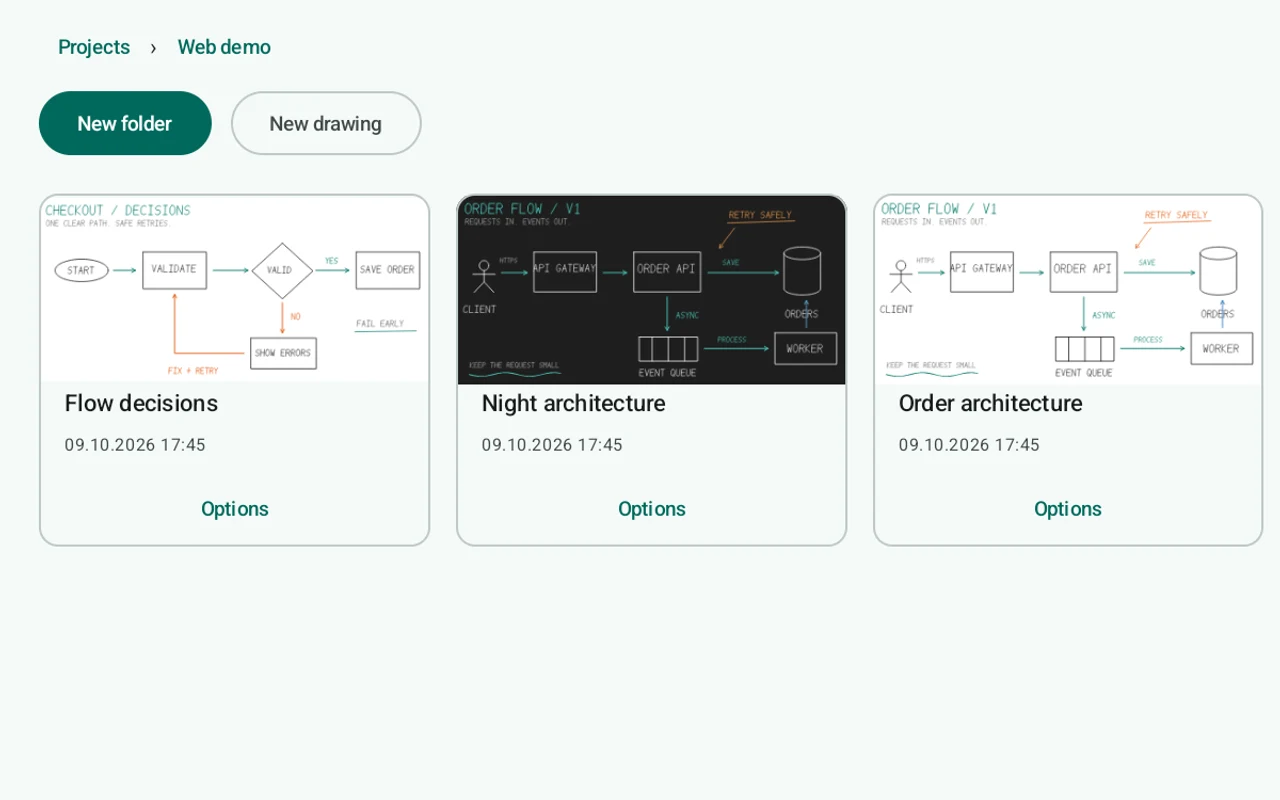
Sample drawing thumbnails in the Web demo project

IMPORT AND EXPORT

From your canvas to your work.

Export the whole drawing or just a selection. Share the finished file directly.

PNG

For chat or email

Your drawing as an image.

PDF

For documents and print

Vector export that stays sharp in print.

SVG

For further editing

Your drawing as vectors.

JSON

Back up your drawing

Keep a backup of your drawing.

Working with a PDF specification? Insert its pages into your drawing and write notes on them.

PRIVACY

Your drawings.
Only on your device.

Draftr works fully offline. The app does not even have internet permission.

Read the privacy policy
  • Works fully offline. The app does not even have internet permission.
  • No account or sign-in required. The app sends no analytics.
  • Drawings stay only on your device and are excluded from cloud backups.
  • No storage permission required. Exports are saved to Documents/Draftr.

Ready for your tablet.